Commits, Staging, and Remotes
Summary
This note explains the basic mental model behind everyday Git work: your files change locally, you choose what goes into the staging area, you create a commit, and then you can send that history to a remote repository. If this model is unclear, Git feels random; if it is clear, Git becomes much easier to reason about.
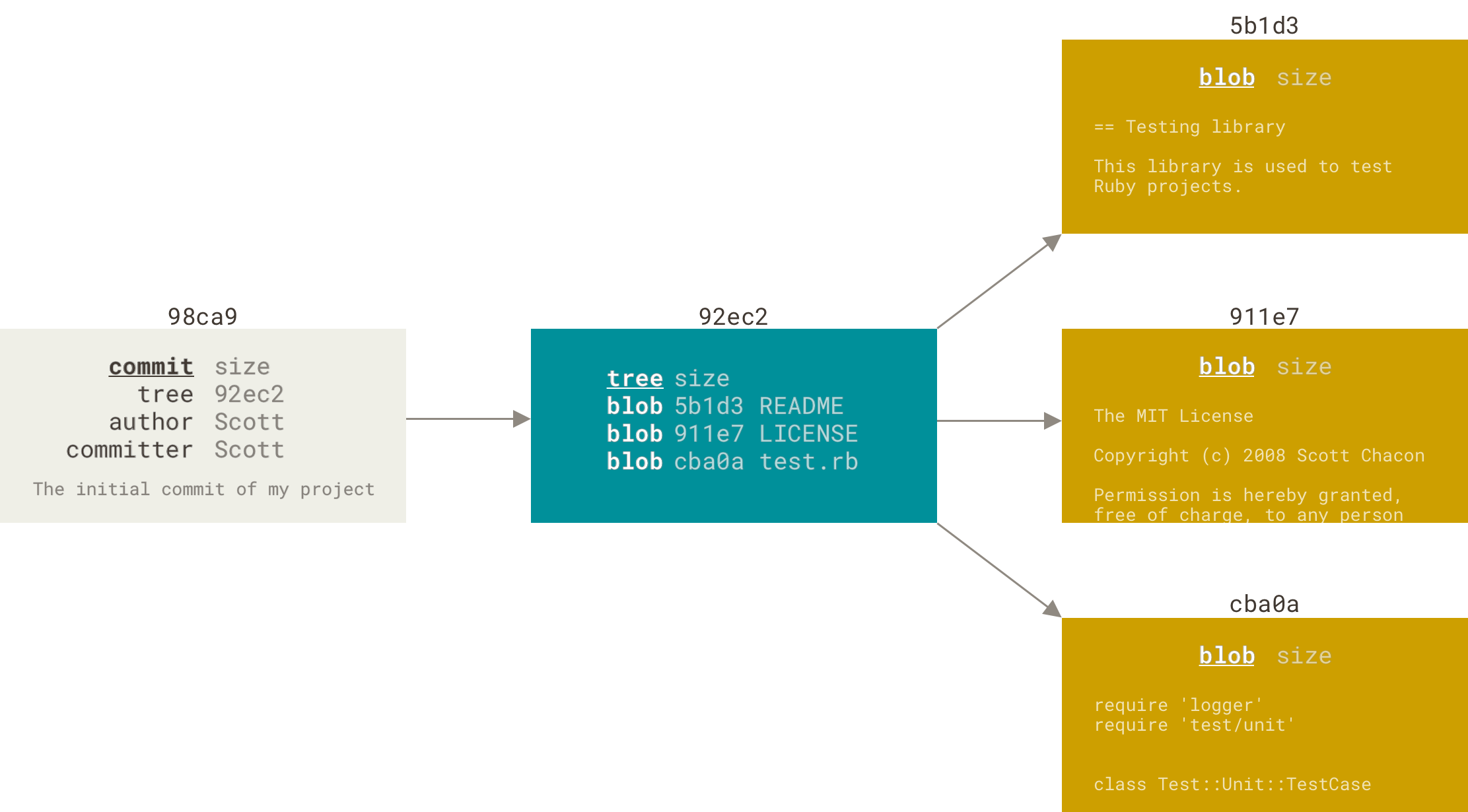
Official Git diagram showing how commits sit in the repository history and connect to the broader tree model.
Why this matters
- most beginner Git confusion comes from not knowing which layer of Git they are looking at
- understanding the difference between working tree, staging area, commit history, and remote makes troubleshooting calmer and more logical
- this is also the language people use in real teams and interviews
Environment / Scope
| Item | Value |
|---|---|
| Topic | Git mental model |
| Best use for this note | understanding everyday Git workflow |
| Main focus | local changes, staging, commits, remotes |
| Safe to practise? | yes, in a throwaway repo |
Key concepts
- Working tree - the files in your current local repository as they exist right now
- Staging area - the set of changes you have explicitly chosen for the next commit
- Commit - a saved snapshot of staged changes with a message
- History - the chain of commits in the repository
- Remote - another copy of the repository, usually on GitHub or another server
Mental model
Think about Git in this order:
flowchart TD
  A["Files you edit"]
  B["staging area"]
  C["commit"]
  D["remote repository"]
  A --> B
  B --> C
  C --> D
This means:
- you change files locally
- you choose what to stage
- you create a commit from staged changes
- you push commits to the remote when ready
Everyday workflow
| Step | Typical command | Meaning |
|---|---|---|
| Check current state | git status | see what changed |
| Stage changes | git add ... | choose what goes into the next commit |
| Create commit | git commit -m "message" | save a snapshot |
| Inspect history | git log --oneline | review recent commits |
| Push to remote | git push origin main | send local commits to the remote |
Common misunderstandings
| Misunderstanding | Better explanation |
|---|---|
| ”Git saves everything automatically” | Git only commits what you stage and commit |
| ”A commit is the same as a push” | commit is local, push sends commits to a remote |
| ”GitHub is Git” | GitHub is a hosting platform; Git works locally too |
| ”My file changed, so it must already be in the next commit” | not unless it is staged and committed |
Verification
| Check | Expected result |
|---|---|
git status | shows working tree and staging state clearly |
git diff --staged | shows what is staged for the next commit |
git log --oneline | shows existing commit history |
git remote -v | shows configured remotes |
Pitfalls / Troubleshooting
| Problem | Likely cause | What to check |
|---|---|---|
| Commit does not contain expected file | file was not staged | git status, git diff --staged |
| Push fails | remote or authentication issue | git remote -v, SSH/auth setup |
| Git state feels confusing | mixing working tree, staging, and remote concepts | slow down and inspect each layer separately |
Practical rule
When Git feels confusing, ask three separate questions: what changed locally, what is staged, and what has already been committed?
Key takeaways
- the staging area is the layer most people skip mentally, and that causes a lot of confusion
- commit is local history, push is remote synchronisation
- once you separate working tree, staging, commits, and remotes, Git becomes much more predictable