Undo, Restore, Reset, and Revert
Summary
This note explains the main ways Git can undo or roll back work. The goal is not to memorise every command immediately, but to build a safe mental model for when to use restore, reset, and revert, and when to slow down before changing history.
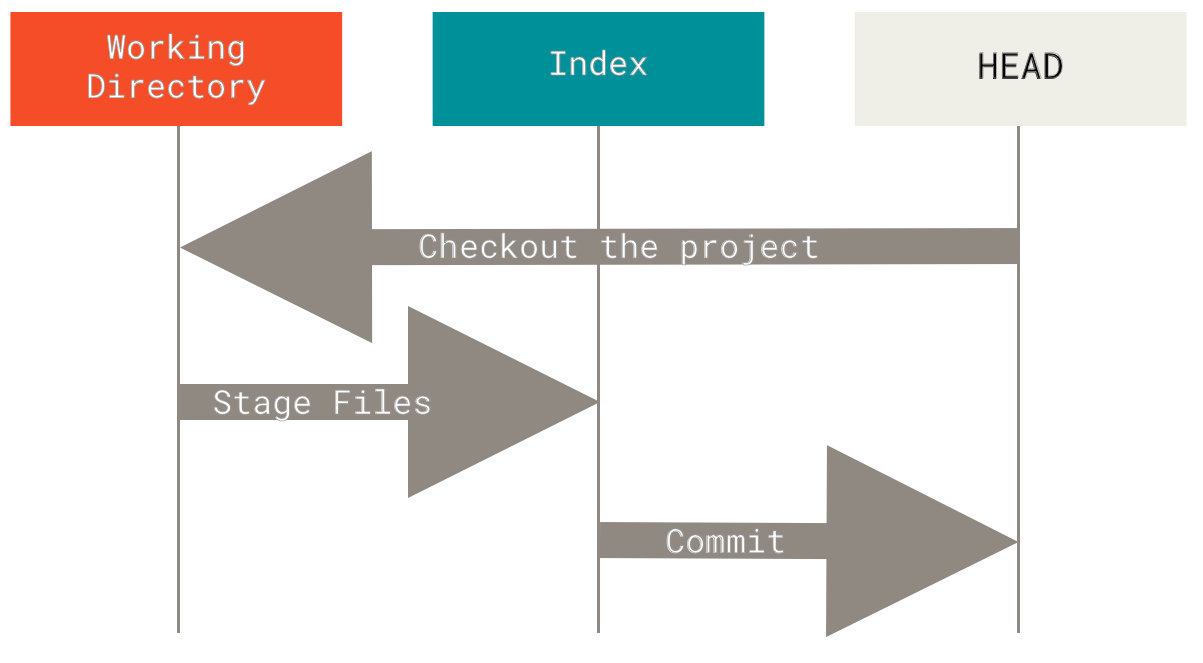
Official Git diagram showing how reset moves through working tree, index, and commit history layers.
Why this matters
- Git gives you several ways to undo work, but they do not all mean the same thing
- many beginner mistakes come from using
resetwhenrestoreorrevertwould have been safer - understanding safe vs destructive undo is important before working in shared repositories
Environment / Scope
| Item | Value |
|---|---|
| Topic | undo and rollback in Git |
| Best use for this note | choosing the right undo tool |
| Main focus | working tree, staging area, commit history |
| Safe to practise? | yes, in a throwaway repository |
Key concepts
- Restore - undo changes in files or in the staging area without rewriting branch history
- Reset - move branch state, often used to unstage or rewrite local history
- Revert - create a new commit that reverses an earlier commit
- History rewrite - changing commit history instead of adding a corrective commit
Mental model
Think about three layers:
working tree
staging area
commit history
Different Git commands affect different layers:
| Command family | Main effect |
|---|---|
git restore | working tree and staging area |
git reset | staging area and sometimes branch history |
git revert | commit history by adding a new reversing commit |
Everyday workflow
| Situation | Safer first choice | Why |
|---|---|---|
| You changed a file and want to discard the edit | git restore <file> | removes uncommitted file changes |
| You staged something by accident | git restore --staged <file> | unstages without touching history |
| You want to undo a shared bad commit | git revert <commit> | keeps history honest and safe for collaboration |
| You want to rewrite a local commit you have not shared yet | git reset | useful locally, but riskier once pushed |
Common misunderstandings
| Misunderstanding | Better explanation |
|---|---|
”reset is just another word for undo” | reset can rewrite history, so it can be much more destructive |
”revert deletes the bad commit” | revert adds a new commit that reverses the old one |
”restore is only for advanced users” | restore is often the safest everyday command for file-level undo |
| ”If I already pushed it, I should still just reset” | in shared history, revert is often the safer choice |
Verification
| Check | Expected result |
|---|---|
git status | clearly shows whether files are modified or staged |
git log --oneline | shows whether a new revert commit was created |
git diff | shows working tree changes |
git diff --staged | shows staged changes |
Pitfalls / Troubleshooting
| Problem | Likely cause | What to check |
|---|---|---|
| File changes disappeared unexpectedly | used restore on the wrong file | git status, recent command history |
| Commit history changed in a confusing way | used reset without clear intent | git log --oneline --graph --all |
| Shared branch became messy | local history rewrite after push | whether branch was already pushed or shared |
| Undo choice feels unsafe | weak mental model of the three layers | working tree vs staging vs history |
Practical rule
If the commit is already shared, pause before using
reset. In collaborative work,revertis usually easier to explain and safer to recover from.
Key takeaways
restoreis often the safest way to undo file-level changesresetis powerful, but easier to misuse because it can rewrite local historyrevertis usually the safest way to undo already shared commits